
Prove what’s needed
A website can ask whether you’re over 18 without automatically needing your full date of birth.
Checkify for you
Use Checkify to prove things like your age, that you’re human or your verified identity — without handing the same personal information to every website and business you use.

Why Checkify?
A website can ask whether you’re over 18 without automatically needing your full date of birth.
See what a business is asking for before you approve the request.
Where supported, existing verification evidence can help you complete future Checkify requests without unnecessarily repeating the original process.
Where Checkify is supported, you can use one app for everyday proof requests.
Instead of repeatedly handing identity documents to individual shops.
Over 18? ✓ Yes
A cleaner alternative to supported CAPTCHA-style website gates.
Human? ✓ Verified
Scan a Checkify QR request and show the proof required for supported physical flows.
When stronger verification is genuinely needed, use your supported verified identity.
The privacy difference
Checkify is designed around sharing the proof needed for the interaction rather than automatically handing unnecessary underlying identity information to every business.
How Checkify works
Four simple steps — without a technical identity-management journey.
Set up your Checkify app using supported device security.
Complete the supported checks you want to use, such as human or identity verification.
A website, app or physical location asks for a specific Checkify proof.
See what is being requested and approve the interaction.
They get the required result. You stay in control of the request.
You see the request
Checkify is designed so the proof request is visible to you before the interaction is approved.
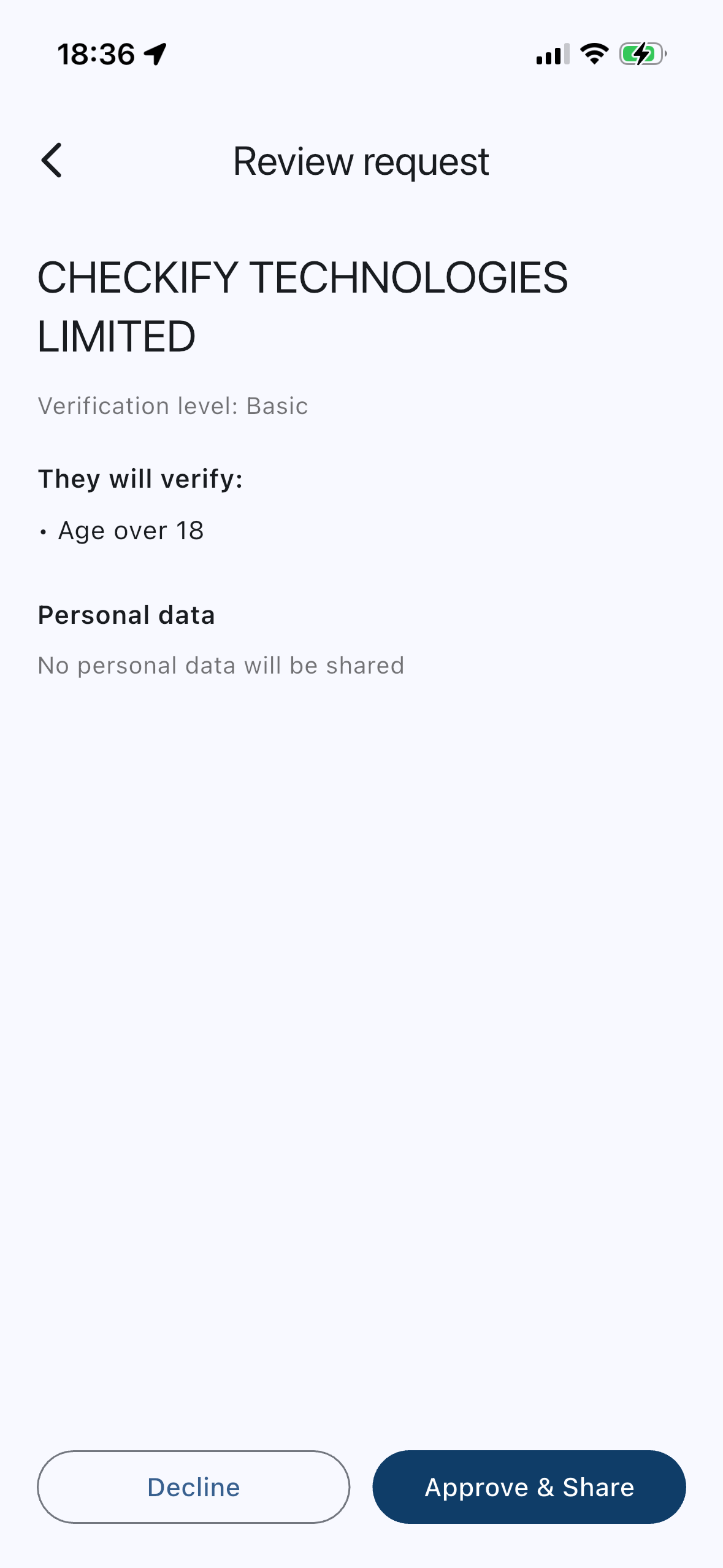
Example Shop
Requested proofAge 18 or over
What the business receivesOver 18 ✓
Stronger proof when you need it
Some services need more confidence than a simple human or age proof. Checkify can use supported identity verification to strengthen your assurance level so future requests can ask for the proof they actually need.
Show you’re a real person for forms and supported website checks.
Stronger assurance when a service needs more confidence.
Use stronger supported evidence paths when the risk requires it.
You do not need to add identity documents for every Checkify use. It depends on what is being asked.
Less repetition
Where supported, Checkify can use existing verification evidence to help satisfy another request without unnecessarily repeating the original collection process.
This is not verify-once-use-everywhere. Each business only receives the proof requested and approved for that interaction.
Are you over 18?
✓ Over 18
Exact information depends on the Checkify request and service being used. You can review the request before approving it.
Checkify isn’t designed around silently handing your identity to websites. The request is presented to you so you can see what is being asked.
Not just websites
Where supported, you can scan a Checkify QR request at a physical location and approve the proof needed.
Supported examples can include shops, venues, collection points, receptions and events — where Checkify is set up.
Built around your control
Use supported PIN, device security and biometrics to protect access to Checkify.
See what proof is being requested before approval.
Checkify is designed to minimise unnecessary identity-data sharing.
A website sent you here?
Get the app if you don’t have it yet.
See what proof is being asked for.
Finish only what that request needs.
Approve or decline the interaction.
Then return to the website or continue at the location.
Download Checkify, set up the verification you want to use, and you’re ready when a supported website or business asks for proof.
Yes. Checkify is free to download and use for people. Businesses pay for verification through Checkify plans and credits.
Not automatically. Checkify is designed to return the proof requested for the interaction — for example Over 18 ✓ — rather than handing over your full identity documents by default.
It depends on what is being asked. Many requests only need a human or age proof. Stronger identity verification is optional and use-case dependent.
Yes. You can review a request and decline it.
Where supported, existing verification evidence can help you satisfy another Checkify request without unnecessarily repeating the original process. Each business only gets what that request asks for.
On supported Checkify websites, apps and physical locations. Availability depends on where a business has set Checkify up.
Checkify is designed around your device and account options in the app. Moving verification to a new phone depends on the recovery and setup options available in Checkify at the time — follow the in-app guidance rather than assuming automatic transfer.
Yes. The Checkify app includes options to clear verification data and remove a device, which disconnects that device and removes local app data. See the Privacy Policy for how Checkify handles personal data and requests.
Ready when you need to prove it
Download Checkify and be ready when a supported website, app or location asks you to prove your age, humanity or identity.